Onic SIM Information System Plans in Pakistan (2026)
Onic SIM information system is a contemporary and updated digital telecom network service in Pakistan that provides flexible, app-based mobile plans without traditional recharge hassles. Unlike conventional networks, Onic sim information system focuses on data-heavy bundles, transparent pricing, and full digital control through its mobile app. When you need monthly internet packages or want long-term savings with yearly plans, Onic sim information system provides multiple options designed for students, freelancers, and heavy internet like high uploading and downloading for users.
Onic Sim Information System Monthly Plans (Latest 2026)
Onic sim information system (30 days) plans are designed for users who want high data + unlimited calls & SMS with no long-term commitment.
Popular 30 Days Packages 2026
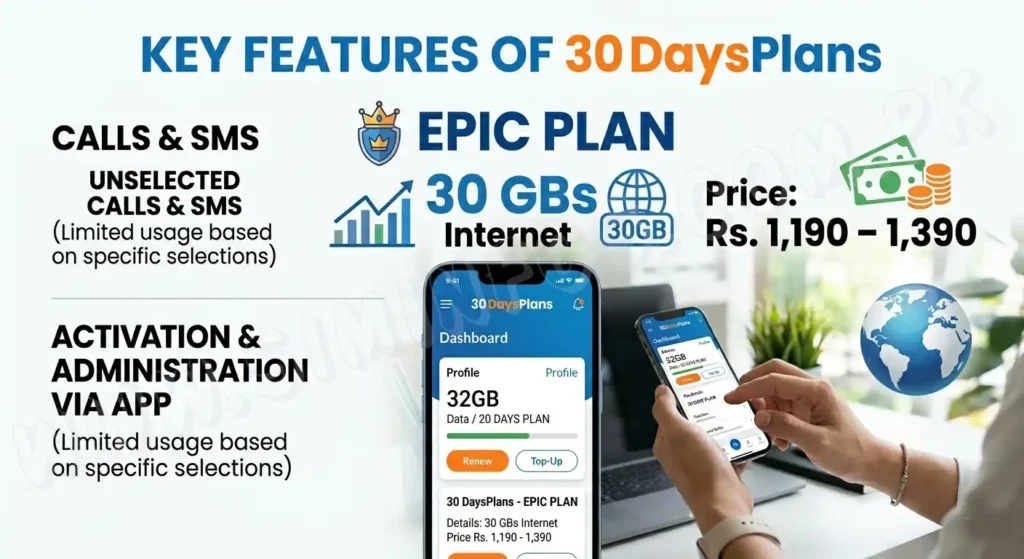
Epic Plan
30 GBs Internet
Price: Rs. 1,190 – 1,390
Unselected calls & SMS
ONIC – Iconic Plan
100 GBs Internet
Price: Rs. 1,590 – 1,790
Unselected calls & SMS
ONIC – Limitless Plan
200 GBs Internet
Price: Rs. 1,790 – 1,990
Unlimited calls & SMS
ONIC – Xclusive
250 GBs Internet
Price: Around Rs. 2,490
Unlimited calls & SMS
Epic Yearly Plan
30 GBs 30 days
Price: ~Rs. 1,043/month
Unlimited calls & SMS
Iconic 30 Days Plan
100 GBs 30 days
Price: ~Rs. 1,343/month
Unlimited calls & SMS
Limitless Annual Plan
200 GBs 30 days
Price: ~Rs. 1,493/month
Unlimited calls & SMS
When compared to monthly rates, these upfront arrangements can save up to 50%.
Benefits of Yearly Plans
Reduced monthly expenses
No trouble recharging
Stable pricing (no sudden changes)
Perfect for frequent users
Free home delivery & number portability
How to Get ONIC SIM 2026
Getting an Onic SIM information system is very simple:
Download the Onic app
Choose the plan that you want.
Choose a number (or port existing number)
Enter your details
Get SIM delivered to your home
Monthly vs Yearly Plans – Which is Better?
If you desire flexibility, choose monthly plans.
Choose annual plans if you want maximum savings
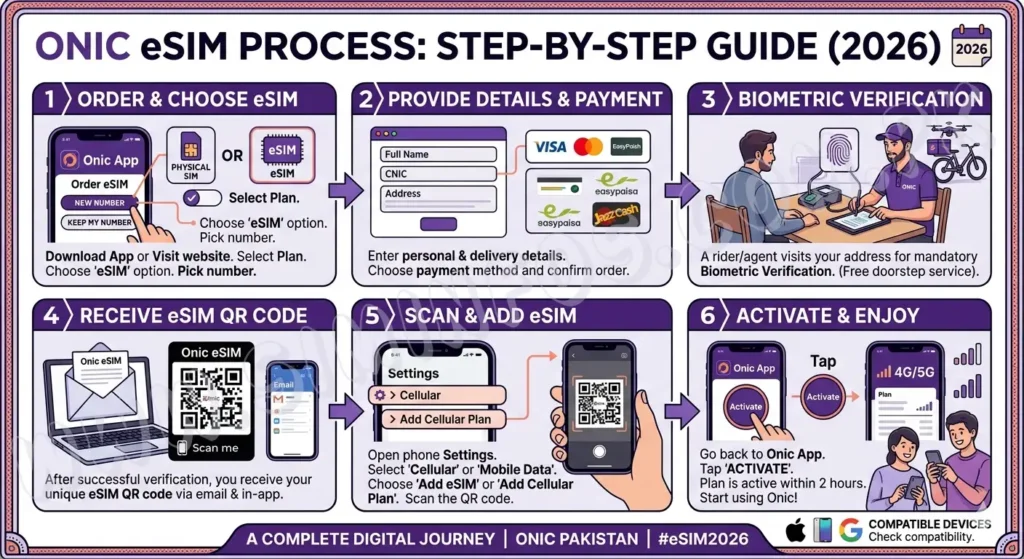
ONIC eSIM Process (Step-by-Step Guide2026)
Step 1: Order ONIC eSIM
Open Onic website or download online app
Choose your plan (Epic, Iconic, etc.)
Select eSIM rather than a traditional SIM card.
Enter your details & make payment plan
You can also choose new number or port your old number
Step 2: Biometric Verification (Most Important)
An Onic rider will come to your house.
Your fingerprint verification will be complete
Without biometric, eSIM cannot be activated
This is necessary by PTA rules
Step 3: Receive eSIM QR Code
After verification, open Onic app
Activate your eSIM from the app
You will receive a QR code via email + app
QR code is required for installation
Step 4: Set Up Your Phone’s eSIM
For Android
Move to: Settings > Network & Internet > Mobile Network
Tap Add eSIM / Add Mobile Plan
Scan the QR code
Finish
For iPhone
Move to: Settings > Cellular > Add Cellular Plan
Tap Scan QR Code
Scan your QR code
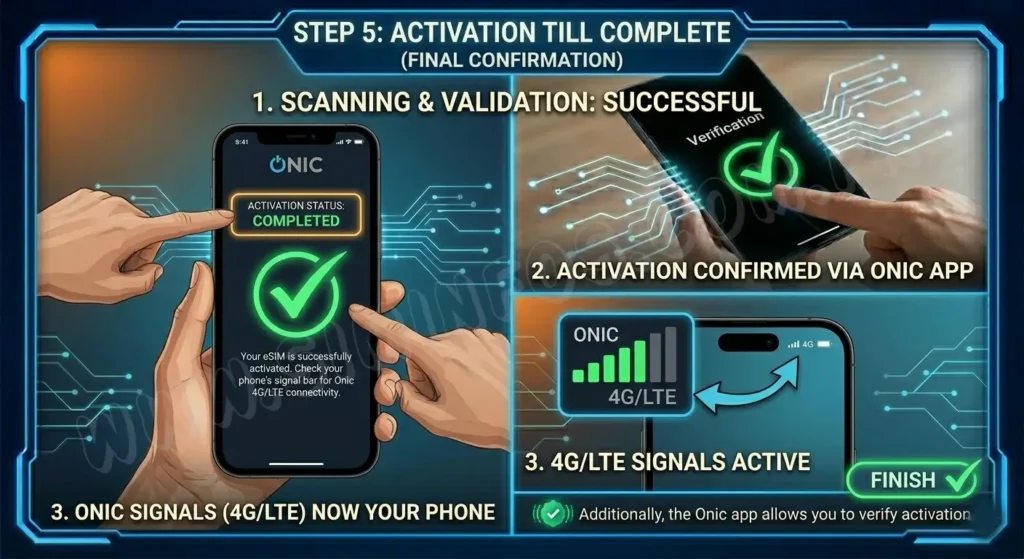
Step 5: Activation Till Complete
After completing scanning QR code
Your eSIM will activate within minutes
You can see Onic signals (4G/LTE) on your phone
Finish
Additionally, the Onic app allows you to verify activation.
Mandatory Requirements
Your mobile phone must support eSIM
Mobile must be PTA approved
Stable internet required during setup
Onic eSIM information system process = 5 simple steps
Order eSIM
Biometric verification
Get QR code
Scan & install
Start using
Get 100% digital and fast activation at the same day